...
Categories
Blog

DocPP 2026 – Our 3rd Major Version Is Live!

DocPP started its journey in 2008, with one clear mission:

to simplify and digitise private practice management for Sri Lankan doctors.

📌 Milestones that matter:

• 2008 – DocPP launched and adopted by Sri Lankan doctors

• 2022 – 2nd major version released with expanded clinical workflows

• 2026 – 🚀 3rd major version upgrade, built for the future of healthcare

What’s new in DocPP 2026

✅ All existing DocPP features remain available

🐞 Bug fixes & stability improvements

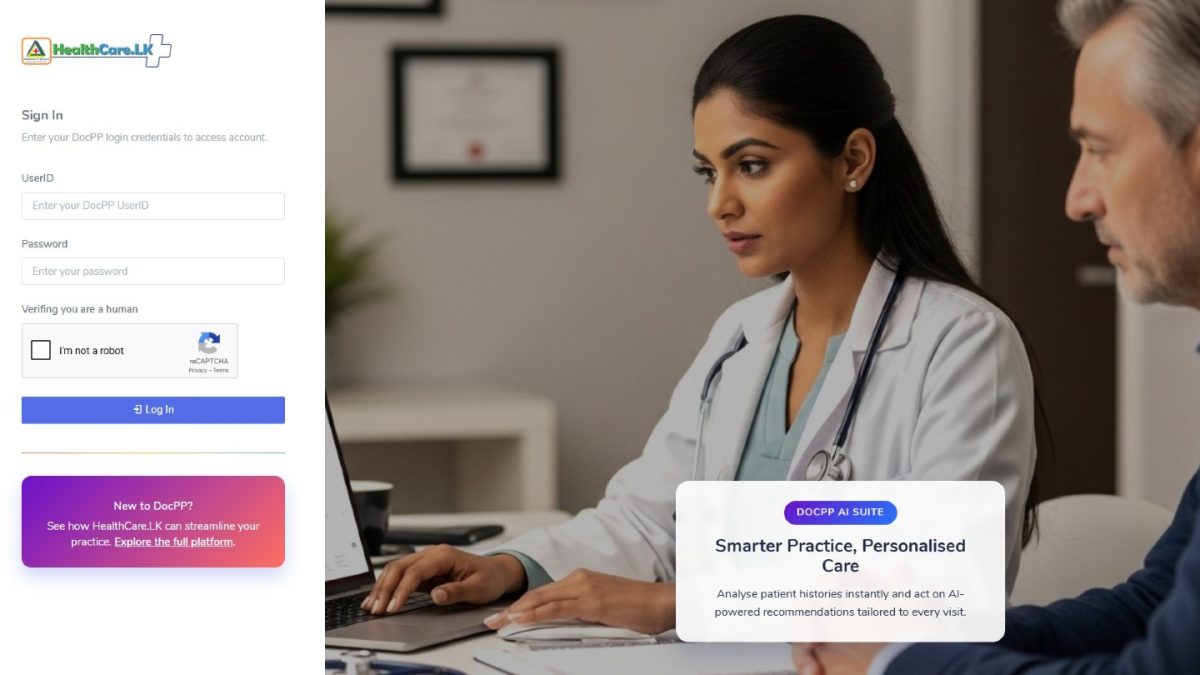
🤖 NEW: AI Patient Overview – smarter clinical insights from patient history

🔗 NEW: APIs to connect DocPP with third-party systems

⚙️ Major technical stack upgrade

🔐 Latest security & OS patches for better data protection

DocPP 2026 is designed for modern consultants, multi-hospital practices, and growing clinics that demand reliability, intelligence, and long-term support.

📍 Trusted by Sri Lankan Doctors since 2008.

📍 Built locally. Evolving continuously.

👉 Learn more or request your free demo:

#DocPP2026#HealthCareLK#SriLankanDoctors#ClinicManagement#DigitalHealthLK#AIPatientOverview#HealthTech#PaperlessPractice#TrustedSince2008

Categories
Blog

Personalised Prescription Printing Now Available

Free for all DocPP Clients…Healthcare meets flexibility with the latest update from DocPP!

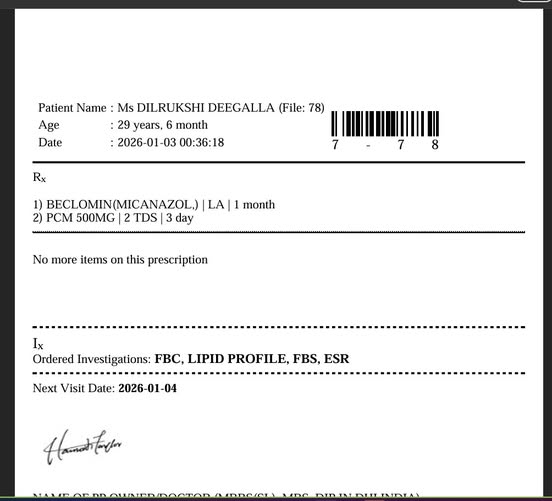
We’re excited to introduce a highly requested feature that allows clinics to use their own colourful preprinted prescription formats—while still enjoying the power and efficiency of DocPP.


🆕 What’s New?

DocPP now gives you the option to:

  • Print prescriptions on your own preprinted letterheads
  • Turn DocPP Header ON or OFF as needed
  • Maintain your clinic’s unique branding and design

This means you’re no longer limited to a single system format—your prescriptions can now reflect your clinic’s identity exactly the way you want.


🌈 Why This Matters for Your Clinic

This feature is more than just a visual upgrade—it delivers real, practical advantages:

🏥 1. Preserve Your Clinic Branding

Use your custom-designed, colourful prescription pads with logos, colors, and layouts that patients already recognize and trust.

2. Greater Flexibility & Control

Easily toggle the DocPP Header ON/OFF depending on your needs—perfect for clinics with multiple formats or preferences.

🧾 3. Professional & Consistent Output

Combine DocPP’s digital accuracy with your preprinted designs for a polished, professional result every time.

⏱️ 4. Save Time Without Changing Your Workflow

Continue generating prescriptions digitally while printing directly onto your existing stationery—no extra steps needed.

💸 5. Reduce Wastage & Printing Costs

Make use of your already printed prescription pads, avoiding unnecessary reprints or design changes.

🔒 6. Maintain Accuracy & Reduce Errors

Even with custom formats, DocPP ensures clear, legible, and standardised digital entries, minimizing handwriting errors.


⚙️ Simple, Seamless Integration

This new setting is easy to use and can be configured in seconds—no technical expertise required. Whether you prefer fully digital layouts or hybrid printing with preprinted formats, DocPP adapts to your workflow.


🚀 Designed Around Your Needs

At DocPP, we believe technology should adapt to healthcare providers—not the other way around. This update empowers clinics to blend tradition with innovation, giving you the best of both worlds.


📌 Start Using It Today

  • 📌 Already using DocPP? Enable the setting and start printing on your custom formats instantly.
  • 📌 New to DocPP? Experience smarter, more flexible clinic management with a FREE demo.

👉 Learn more: https://healthcare.lk


💬 Stay Connected

Follow us for more feature updates, tips, and innovations in digital healthcare.


#DocPP #HealthcareLK #DigitalHealth #ClinicManagement #PrescriptionPrinting #MedicalSoftware #HealthTech #SriLankaHealthcare #DoctorTools #PaperlessPractice #HealthcareInnovation

Categories
Blog

🔒 DocPP Admins Just Got More Secure!

Enhancing Protection for Your Clinic Data

In today’s digital healthcare landscape, protecting sensitive patient and clinic data is more important than ever. That’s why DocPP continues to evolve—bringing you stronger, smarter security without disrupting your daily workflow.

We’re proud to introduce our latest security upgrade designed to give healthcare providers greater peace of mind.


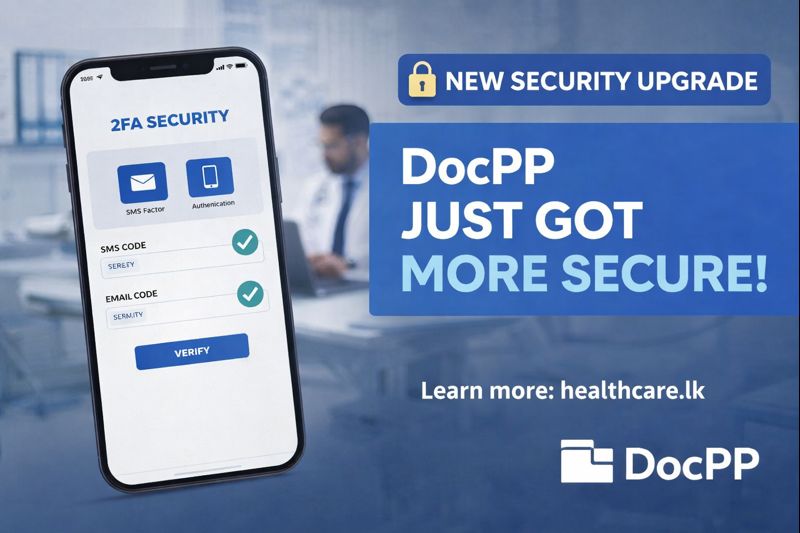
🆕 Two-Factor Authentication (2FA) for Administrators

To strengthen access control, DocPP now offers Two-Factor Authentication (2FA) specifically for administrator-level users.

With this new feature, you get:

  • Dual Verification via SMS & Email
  • Enhanced Protection Against Unauthorised Access
  • Added Security Layer for Admin Accounts

This ensures that only verified personnel can access critical system settings and sensitive information.


⚙️ Flexible Security Controls Tailored to Your Practice

Every healthcare practice operates differently—and your security settings should reflect that.

DocPP now allows:

  • 🔧 Customisable Security Configurations per Practice
  • 🔧 Control Over Authentication Settings
  • 🔧 Balance Between Security & User Convenience

While advanced protections are available, the default login experience remains simple and hassle-free, ensuring your team can continue working efficiently.


🚀 Security That Grows With Your Clinic

At DocPP, we believe that stronger security shouldn’t mean added complexity. This latest update is part of our ongoing commitment to:

  • Protect your clinic’s digital infrastructure
  • Safeguard patient data
  • Deliver secure, user-friendly healthcare solutions

As your clinic grows, DocPP grows with you—securely.


🔗 Learn More


💬 Stay Updated

Follow us for the latest updates, feature releases, and digital healthcare innovations.


#DocPP #HealthcareLK #DigitalHealth #HealthTech #CyberSecurity #DataProtection #eHealth #ClinicManagement #HealthcareInnovation #SecureHealthcare #2FA #MedicalSoftware

Categories
Blog

New Feature Released: Export Your Drug Database in Seconds 📊💊

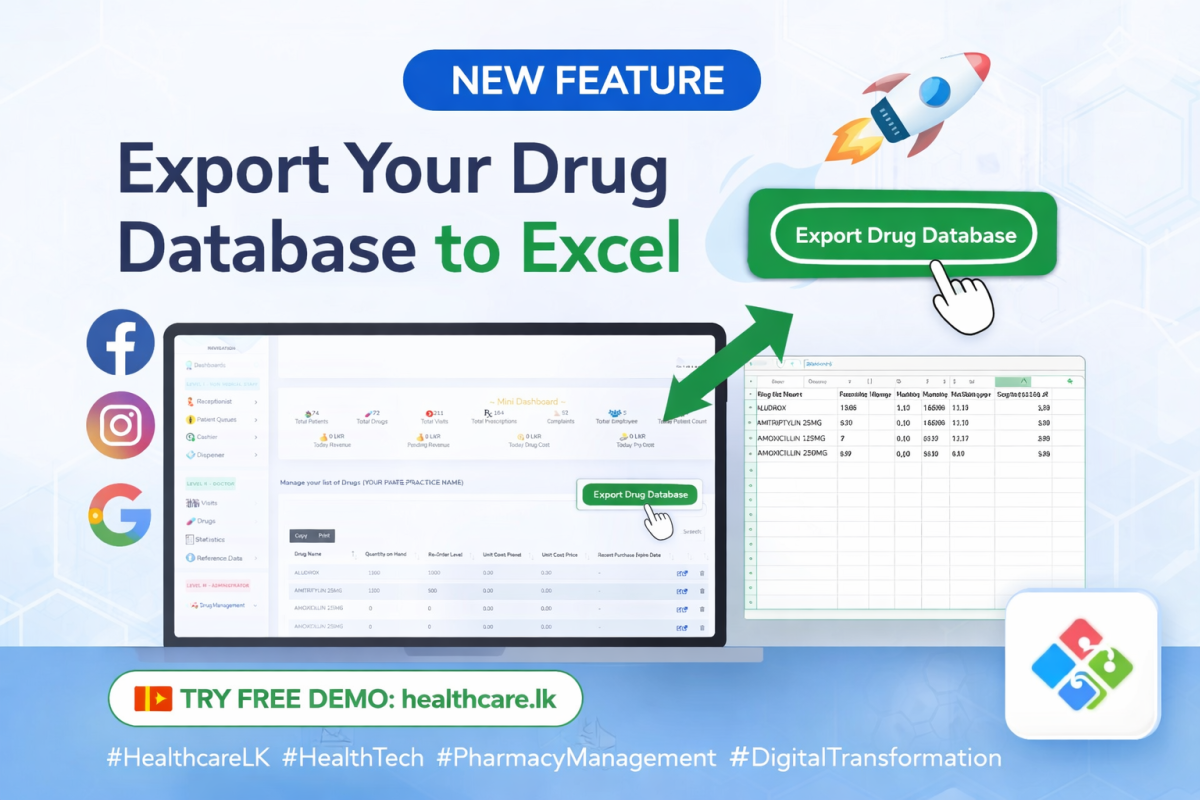
You can now export your complete drug database into an Excel file directly from DocPP.

This feature is available for all Private Practice Administrators.

📁 What You Can Export:With just a few clicks, your Excel file will include:Drug NamesCurrent Stock LevelsRe-Order Levels (ROL)Cost PricesSelling PricesAnd other essential drug-related data

💡 Why This Matters
This feature helps you:
✔ Maintain better inventory control
✔ Perform quick audits and stock reviews
✔ Share data easily with pharmacies or accountants
✔ Keep offline backups when needed
✔ Make faster, data-driven decisions

⚙️ How to UseSimply log in to your DocPP system and navigate to your Drug Management section.

You will find the “Export Drug Database” option available for immediate use.

Categories
Blog

New Feature: Direct Patient SMS from Your Practice

🚀 Introducing Personalized Patient SMS Messaging

We’re excited to introduce a powerful new feature in DocPP —
👉 You can now send individual SMS messages directly to your patients in just a few clicks.

Whether it’s appointment reminders, follow-ups, or important updates — communication has never been easier.


✨ Key Features

✅ Send SMS instantly from the patient profile
✅ Personalized messages with your practice name
✅ Real-time SMS balance tracking
✅ Automatic delivery confirmation
✅ Simple, user-friendly interface


📍 How It Works

  1. Open a patient profile
  2. Click on “Send SMS”
  3. Type your message
  4. Hit Send Now

That’s it — your message is delivered instantly 📩

Categories
Blog

DocPP Prescription Footer Note – Improvement


What is a Prescription Footnote?

At linen-mole-502544.hostingersite.com/, we understand the importance of clear communication between doctors and pharmacists. That's why we are excited to introduce our enhanced Prescription Footnote feature, powered by DocPP.

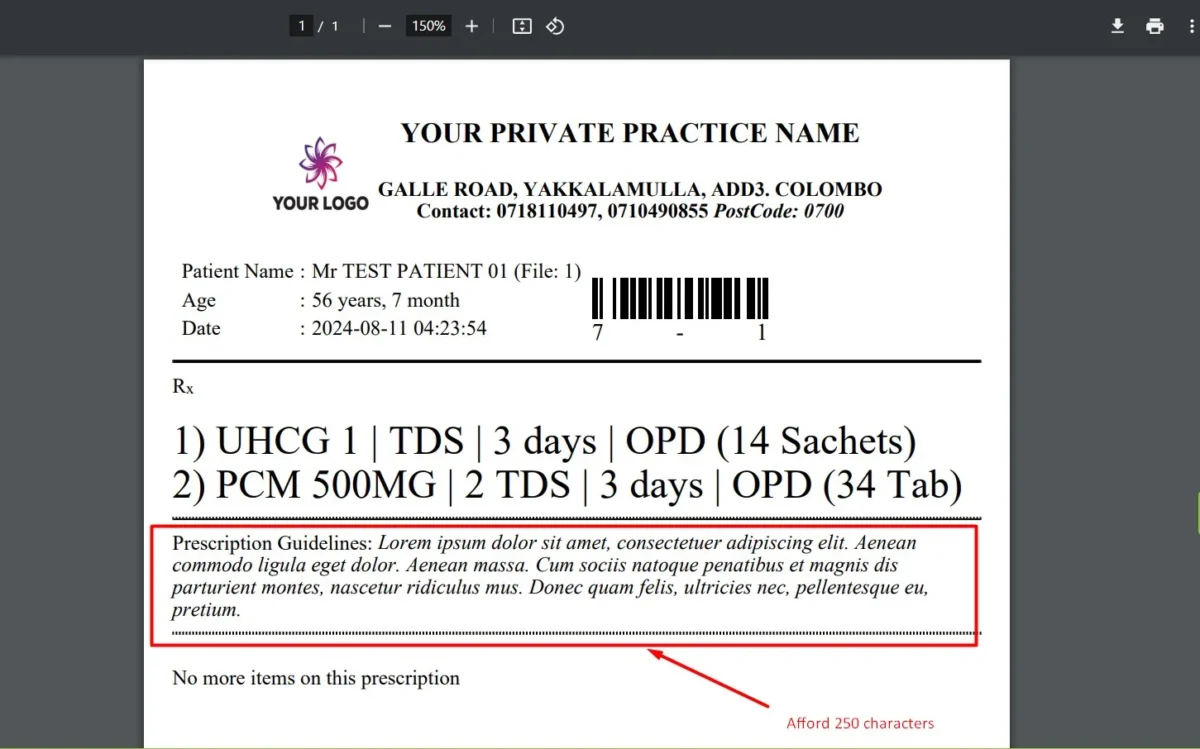
Expanded Character Limit

In response to numerous client requests, we have increased the character limit from 100 to 250. This expansion gives healthcare professionals more space to provide comprehensive instructions, enhancing patient safety and care quality.

Categories
Blog

Customizable Prescription Font Size

Now you can cutomize prescription font size through the master settings page.

In order to access;

  1. Login as Admin
  2. Visit ‘Settings’ page through the top-right corner
  3. Change the default value ‘Prescription Drug Font Size’
  4. Save 

That’s all.


Screenshot_2


Screenshot_3


Screenshot_1

Categories
Blog

DocPP PREPAID Discontinue from 31st December 2023

Important Update: DocPP PREPAID Service Discontinuation
📅 Effective from 31st December 2023

We regret to inform you that our prepaid service, DocPP, will be discontinued as of December 31, 2023. We appreciate your support and patronage, and we want to ensure a smooth transition for our valued customers. If you have any questions or need assistance with this change, please don’t hesitate to reach out to our customer support team.

We are also advising existing clients to migrate to DOCPP’s postpaid plan at the current price before the deadline.

Thank you for being a part of the DocPP community.

Categories
Blog News

SK Medicals – On Boarded

We are delighted to share a momentous announcement with you all! As of September 13th, 2023, SK MEDICAL CENTER – BARR JUNCTION – UDUGAMA has officially joined our esteemed DocPP platform, marking the beginning of another exciting journey in healthcare excellence.

Categories
Blog News Uncategorized

DocPP2022

DocPP2022

The upgraded version of DocPP will be named as “DocPP Future”

Changes:

New Addons/Improvements:

  • Mobile friendly attractive interfaces
  • Moved from PHP 5.6 to the latest.
  • Enhanced performance in the database layer by moving to the latest version.
  • The security of the system has been enhanced.
  • Full-screen utilization.
  • Smooth navigation
  • Speedy performance
  • Improved disaster recovery mechanisms
  • Complete server platform updated into the latest Amazon Infrastructure.
  • New Weekly email summary progress report to the Admin
  • Added Age in years also at the New Patient Registration
  • Added PHN (Gov Health ID) has been integrated.
  • Speed Browser enhanced autocomplete technology.
  • New Dashboard to view Daily Patient count in Bar chart (Helps to plan your vacations..)
  • New Dashboard to view Adults & Child counts (Helps to plan your drug stocks…)
  • New interface to view Past or Future Appointments for given any search period.

Options modified:
* Patient Appointment counter will continue for the day. (No reset in between)

Options removed:
* Sketch drawing (usage over period time was 0.61%)

We welcome your feedbacks and suggestions via +94710490855 WhatsApp channel.
Seraphinite AcceleratorOptimized by Seraphinite Accelerator
Turns on site high speed to be attractive for people and search engines.